Key takeaways
- Amazon listing errors: fix guide
- Listing quality checks
- Suppressed listing path
Table of contents
Amazon listing errors: fix guide
Short answer: most Amazon listing errors come from missing attributes, non-compliant images/copy, variation mistakes, SKU/flat-file issues, or brand contribution conflicts - fix the stated Seller Central reason first. Related suppression depth: Amazon suppressed listings fix. Related bulk uploads: Amazon Seller Central bulk listing. Related brand contributions: Amazon branded listing contributions. Related: Amazon store optimization guide, free Amazon audit.
Official context: Amazon listing errors overview - current error types should be confirmed. Restore timing is not guaranteed.
Why errors happen
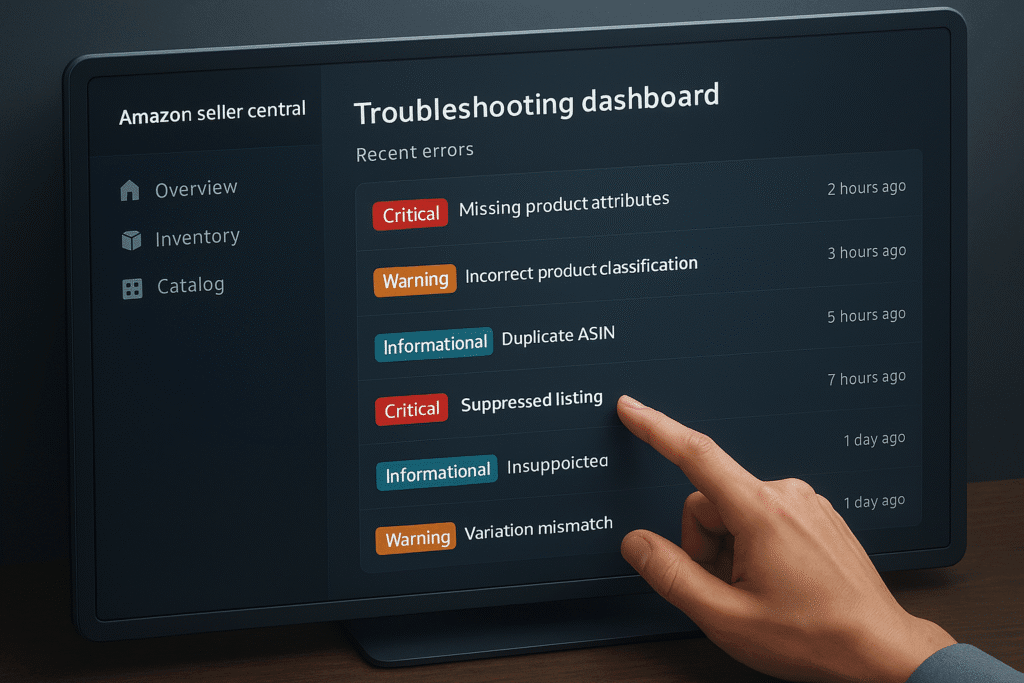
Amazon's catalog is shared and rule-driven; incomplete or conflicting data can suppress or hide offers. Common causes: incomplete attributes, multi-seller contribution clashes, non-compliant titles/images, duplicate ASINs, and automated quality checks.
Soft error map
| Soft error | First response |
|---|---|
| Missing attributes | Complete required fields for the category template |
| Suppressed listing | Read Suppressed / listing quality reason; fix images/copy/attributes |
| SKU conflicts | Keep unique SKUs; avoid reckless SKU renames mid-life |
| Variation / parent-child | Parent without inventory/price; children with variation attributes |
| Brand name mismatch | Brand Registry path + trademark/packaging proof when enrolled |
| Detail page not updating | Partial flat-file update; wait for refresh; case with evidence |
| Duplicate ASINs | Documented catalog merge request with GTIN/ownership proof |
Listing quality checks
Path: Seller Central listing quality / suppressed views → note each ASIN reason → fix in UI or flat file → recheck after processing. UI labels change.
Suppressed listing path
- Manage Inventory → find suppressed ASINs
- Read Amazon's stated reason
- Fix images, attributes, keywords, or compliance gaps
- White-background main image plus supporting shots is common practice for exact specs
- Open a case only after a clean fix if still suppressed
Related: Amazon suppressed listings fix.
Variation errors
- Do not assign sellable inventory to the parent when Amazon expects children to sell
- Match variation theme (for example size-color) consistently
- Use the category flat-file template to rebuild families when UI edits fail
Related: Amazon Seller Central bulk listing.
Flat-file corrections
- Download the latest category template
- Use partial update for targeted fields when available
- Upload via Amazon's bulk upload path
- Fix every processing-report row before re-uploading
Bulk flat files can fix many SKUs faster than one-by-one edits; they do not guarantee zero errors.

Brand and support cases
- Brand Registry + trademark/packaging evidence for brand-name conflicts helpful
- Support practice: screenshots, specific ASIN subject lines, case ID tracking
- Escalation language is documentation work, not a magic override
Related: Amazon branded listing contributions.
Prevention cadence
- Weekly listing quality / suppression scan
- Unique SKUs and validated attributes before publish
- Avoid keyword stuffing and duplicate ASIN creation
- Keep brand docs ready for gated categories
- Case stories of "24-hour" or "12-hour" restores are unverified here - Not yet tested
Bottom line
Amazon listing errors are usually data and compliance problems, not random blackouts. Treat "fix them fast" marketing as unverified; read the error, fix the field, confirm the processing report.
Request a free Amazon audit or contact eCom Gliders for Amazon catalog support.
About the author
Mary
Content Specialist
Mary writes practical Amazon seller guides covering PPC, SEO, listing optimization, and account management.
Keep reading